
Guide for Slack Guests on Accessing CultureBot
CultureBot relies on Slack OAuth to access the web portal, where features such as the shoutout feed, peer rewards catalog, and employee directory can be found. However, Slack blocks guest accounts, both single-channel and multi-channel, from completing the standard "Sign in with Slack" login process. This is a Slack platform restriction, not something CultureBot specifically restricts.
We built an alternative way for Slack guest users to access the web portal, based on customer feedback: an on-demand, one-time link delivered right inside Slack.
How Guest Access Works
As a guest user, go to the CultureBot app in Slack, select "Home" from the tabs at the top, and select "Visit Web Portal."
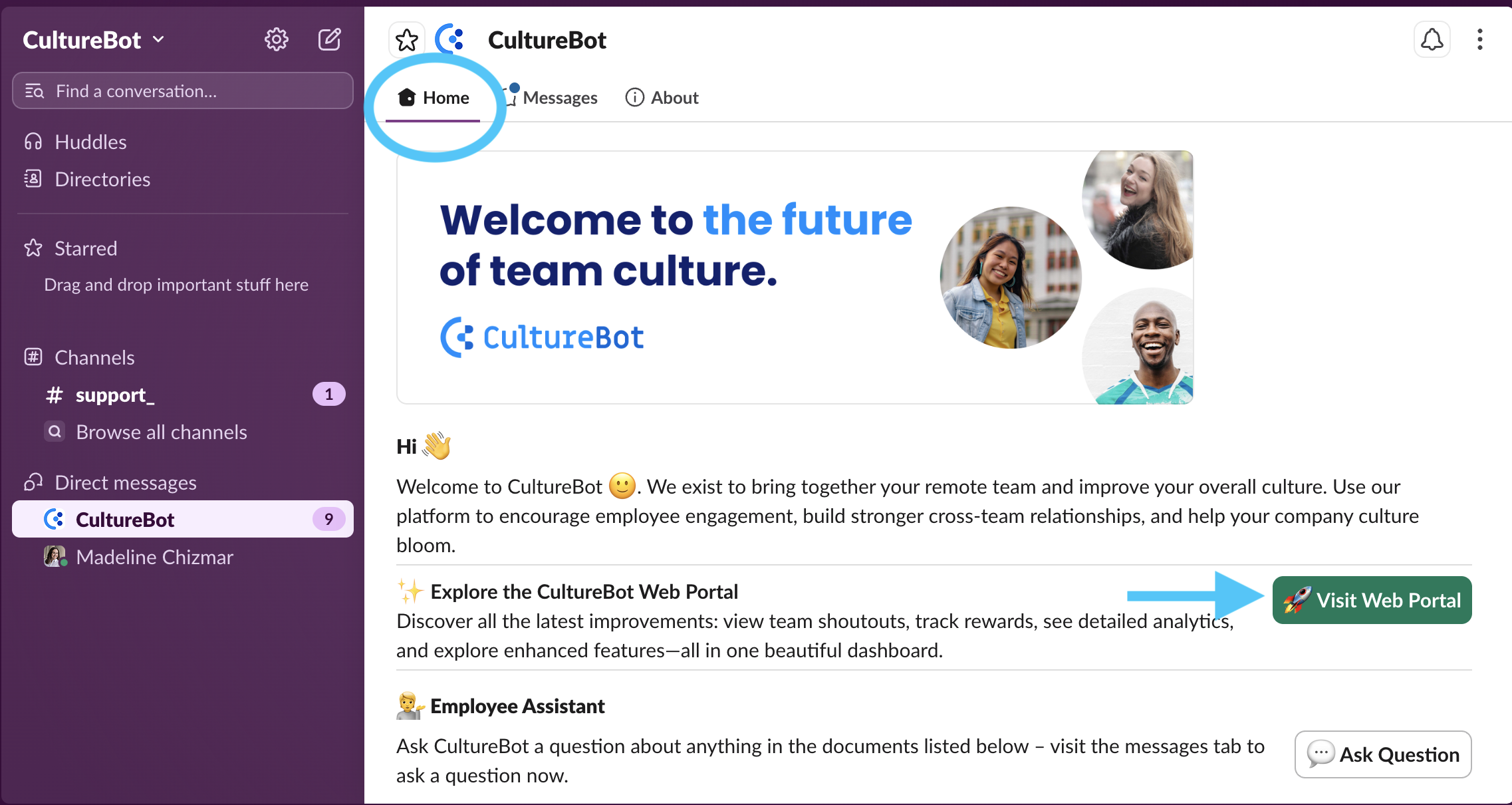
What Happens When They Click
- A modal titled "Your CultureBot Account" appears
- It reads: "Redeem your points, check your shoutouts feed, and manage your profile. This secure access expires in 30 minutes and can only be used once."
- The guest clicks "Open My Account"
- Their browser opens, already signed in, landing directly on the home page
Good to Know
- The link is single-use. If a guest clicks an expired or already-used link, they'll land on the login page with an error. The fix is simple: go back to the CultureBot Slack app and click "Visit Web Portal" again for a freshly generated link.
- It expires 30 minutes after the modal is generated, not 30 minutes after the guest clicks it. If they let the modal sit open, the link can expire before they ever use it.
- Admins do not need to do anything to generate these on-demand links, but may want to provide direction to the guest Slack user on how to generate one. Feel free to send them this article directly.
Need help? Reach out to support@getculturebot.com for help troubleshooting.