
Set Up Celebration Digests
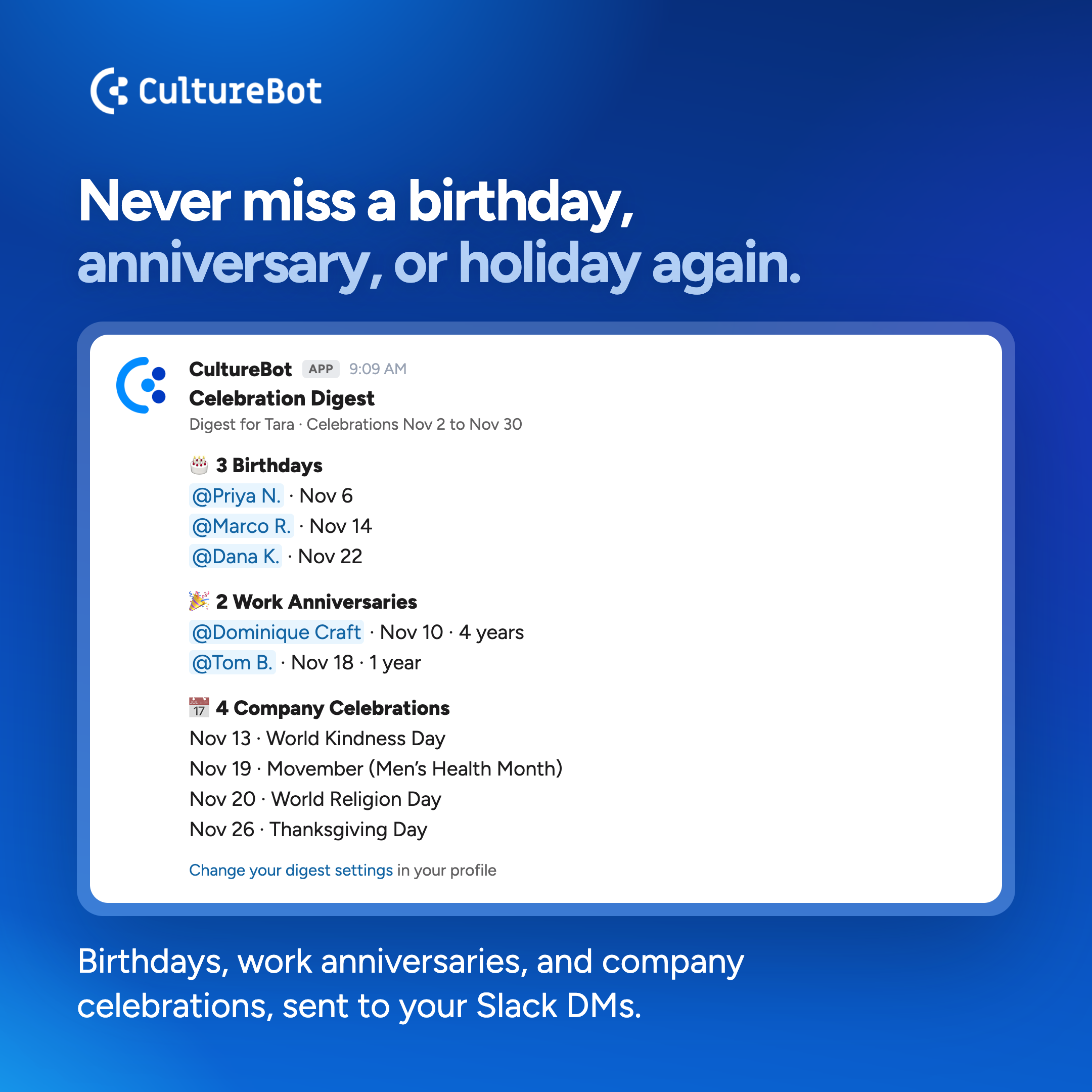
A celebration digest gives people a look ahead at upcoming birthdays and work anniversaries, so nobody finds out the day after. Post a weekly list in an office channel so the team can plan a card or a lunch, or send each manager a heads-up about their own team.
Please note: celebration digests post to Slack only and are set up by full admins.
How to Set Up a Celebration Digest
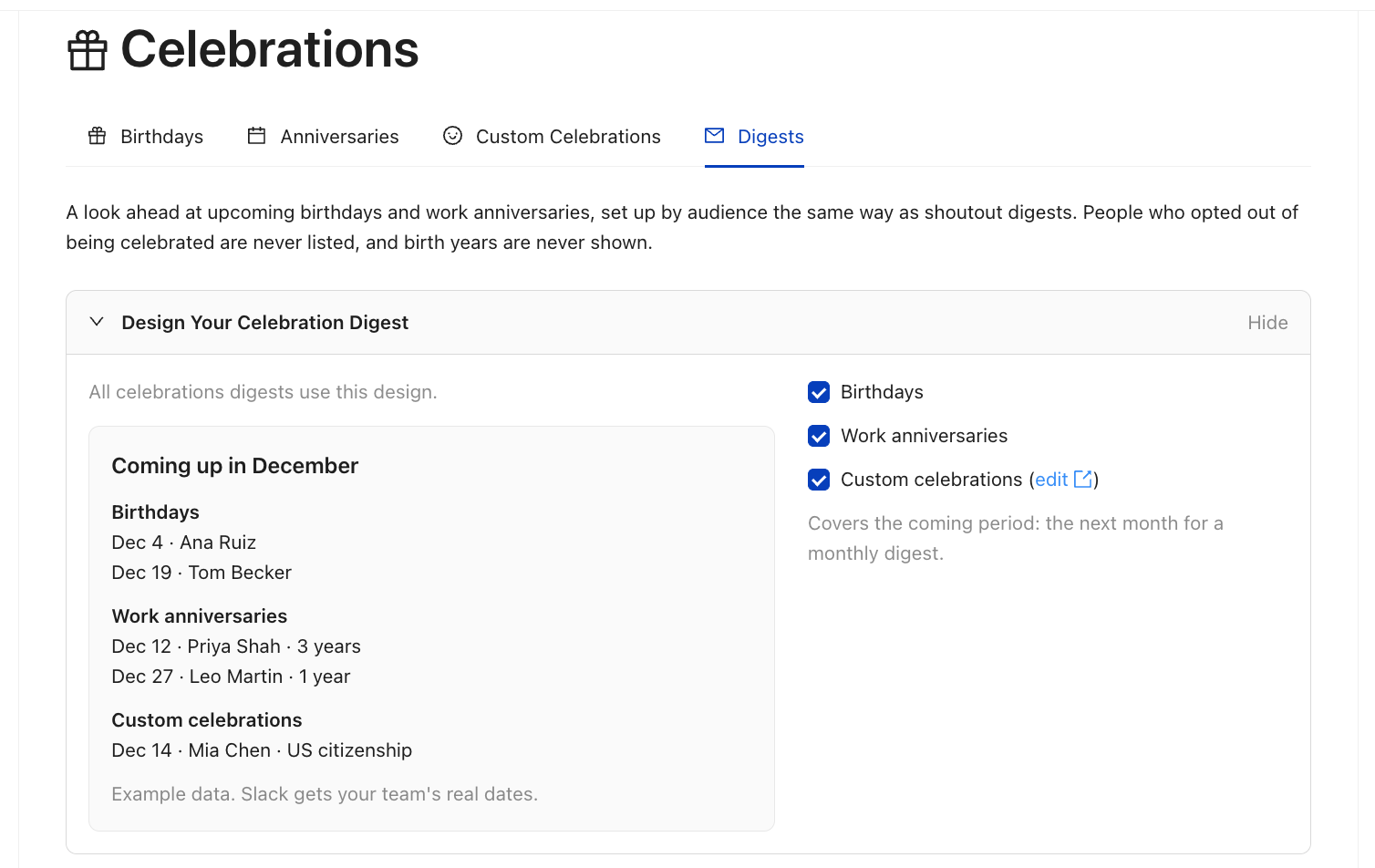
- Open Digests: In the CultureBot web app, go to Celebrations, then Digests.
- Design Your Celebration Digest: Choose what every digest lists: Birthdays, Work anniversaries, and Custom celebrations. Birthdays and anniversaries are on to start. The preview shows example data.
- Pick an Audience: Under All settings, open All Celebrations, Celebrations by Channel, Celebrations by Department, or Celebrations for Managers.
- Choose Where and When: Pick the channel, then Every week, Every 2 weeks, Every 4 weeks, or Monthly, plus the day and time.
- Turn It On: Switch the digest on and save.
The first digest posts at the next scheduled day and time.
What the Digest Includes
- The coming period: everything from the send day until the next digest, so a monthly digest covers the next month.
- Who it covers: a channel digest lists the members of that channel. A department digest uses the department channels you set once under All settings, the same list shoutout digests use.
- Privacy: people who opted out of being celebrated are never listed, and birth years are never shown.
- Quiet periods are skipped. If nothing is coming up, nothing posts.
For the private version each manager gets about their own team, see Digests for Managers. To post a roundup of recent shoutouts, see Set Up Shoutout Digests.