
Culture Summaries & Shoutout Badges
When someone sends a shoutout, the recognition does not disappear after the moment. It collects on the receiver's employee profile in two ways: as badges they have earned, and as an AI-powered culture summary that sums up why teammates value working with them.
Culture Summaries
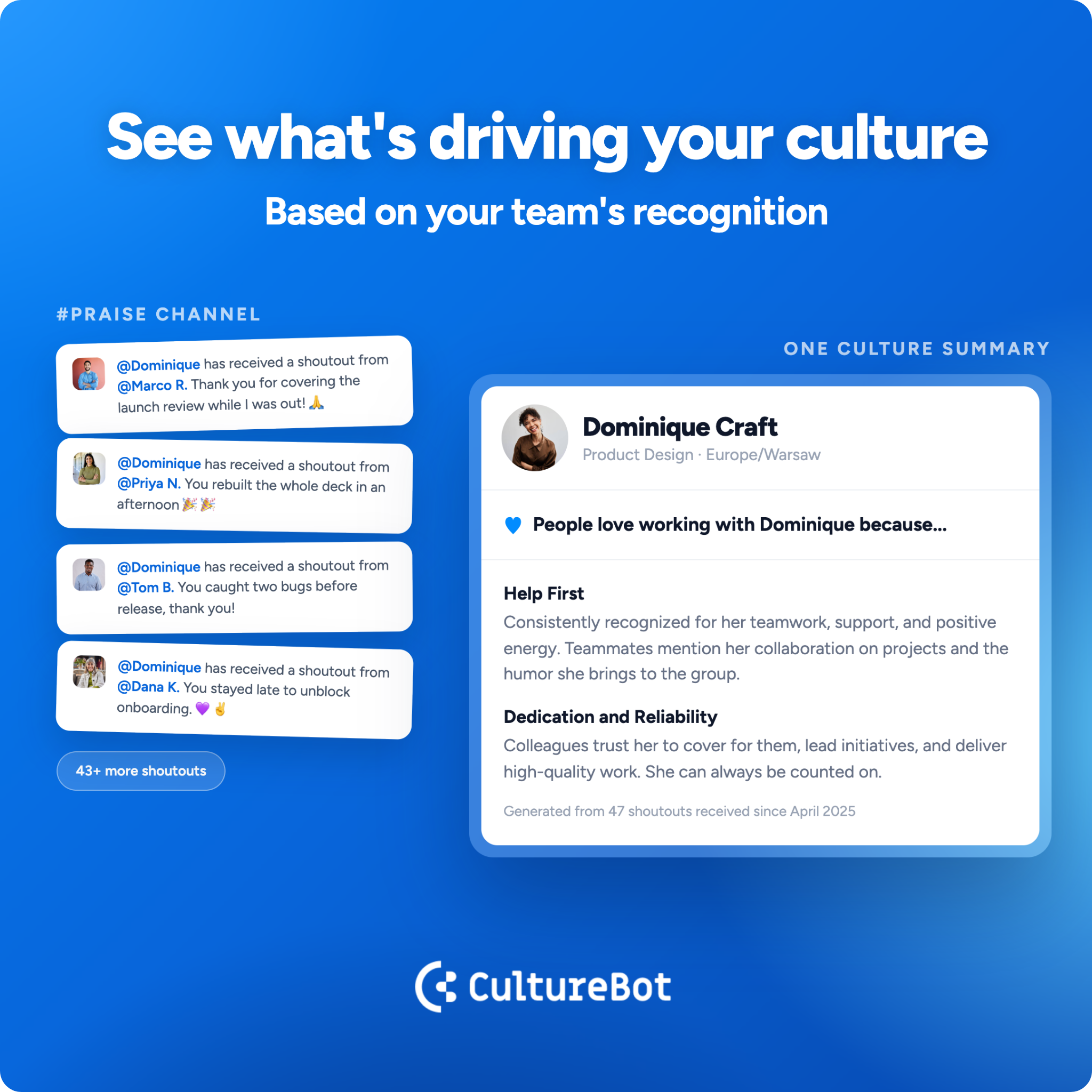
Now available in employee profiles! At the top of each employee profile, a culture summary titled "People love working with [Name] because..." is an AI-generated summary of all the shoutouts that person has received in the past, neatly organized into a few themes and naming the values that continuously come up for that person. A line at the bottom shows how many shoutouts it drew from, and using the "Refresh" button rebuilds it from the latest recognition.
To view: go to your Employee Directory and select an employee whose profile you'd like to view. To see your own profile instantly, go to your CultureBot Home Page in the web app and see your culture summary and shoutout badges.
Please note: See more about Company Profiles and User Profiles.
The more shoutouts your team sends, and the more those shoutouts lean on badges that reflect your values, the richer each profile becomes.
Shoutout Badges
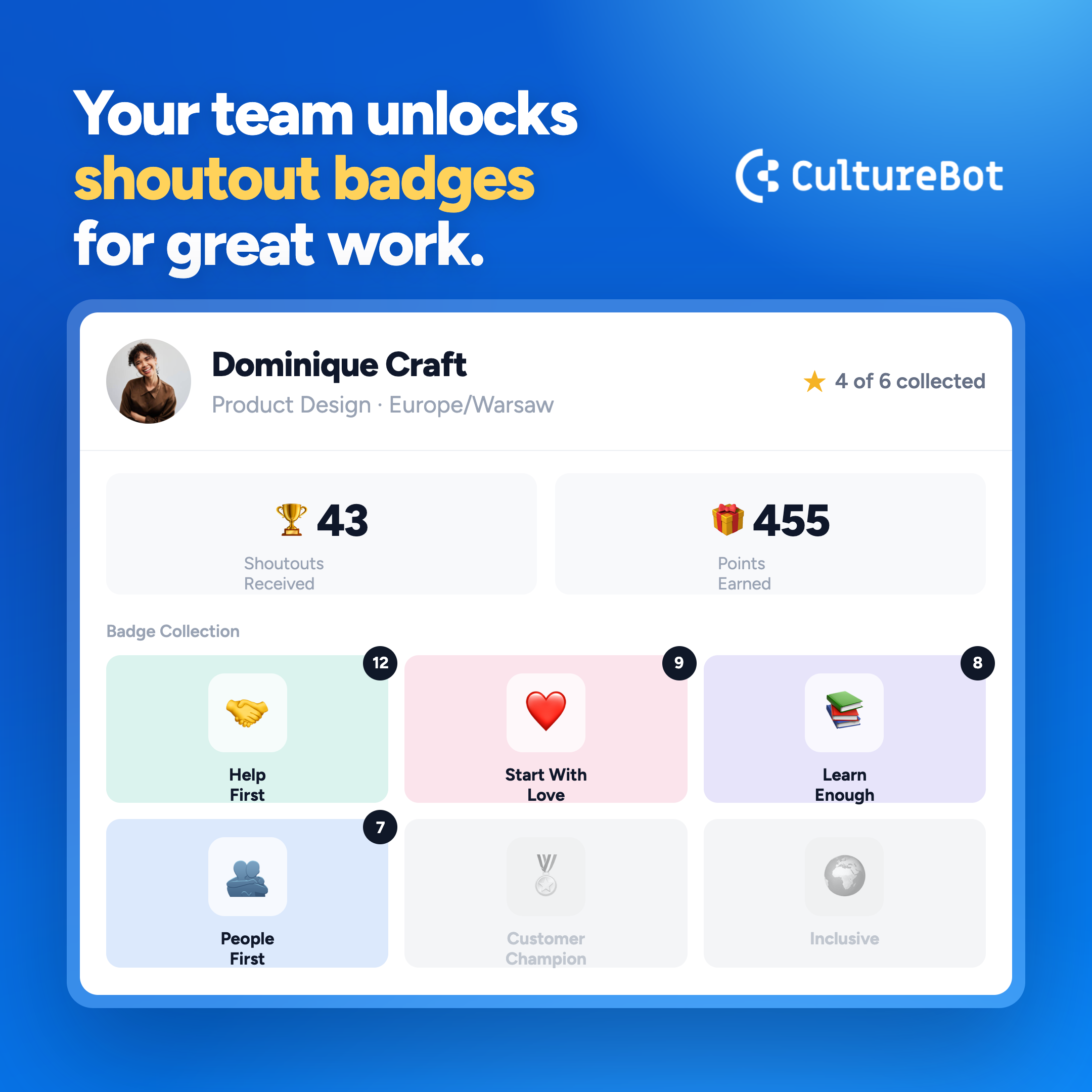
Badges reflect your shoutout types, like "Team Player" or "Thank You", that can be completely customized in your account. When someone sends a shoutout, they choose the badge that makes the most sense from the Shoutout type menu, and it shows on the recognition image that posts to your channel. CultureBot includes a set of pre-built shoutout types available to all workspaces, alongside the ability to create fully custom ones (learn more here).
Create Your Own Badges
You need admin access in CultureBot to create badges.
- Open Shoutouts, Then Customize: In the CultureBot web app, go to Shoutouts and select the Customize tab.
- Add A Custom Shoutout: Click Add custom shoutout, then enter a name and a short description of when to use it.
- Choose How It Looks: Select Standard to pair an icon with a background color, or Full Background to upload your own image.
- Save It: Your badge joins the Shoutout type menu, ready for anyone on your team to send.
Please note: you can choose a setting in Shoutouts that lets you hide the default badges CultureBot offers, enabling your team to ONLY see the badges you created.
The Badge Collection
Every User Profile includes a badge collection, a trophy case of the recognition types that person has received. Badges they have earned appear in full color with a count of how many times, and the ones they have not earned yet stay greyed out, so there is always room to grow.