
Points Rules: Setting Shoutout Giving Limits
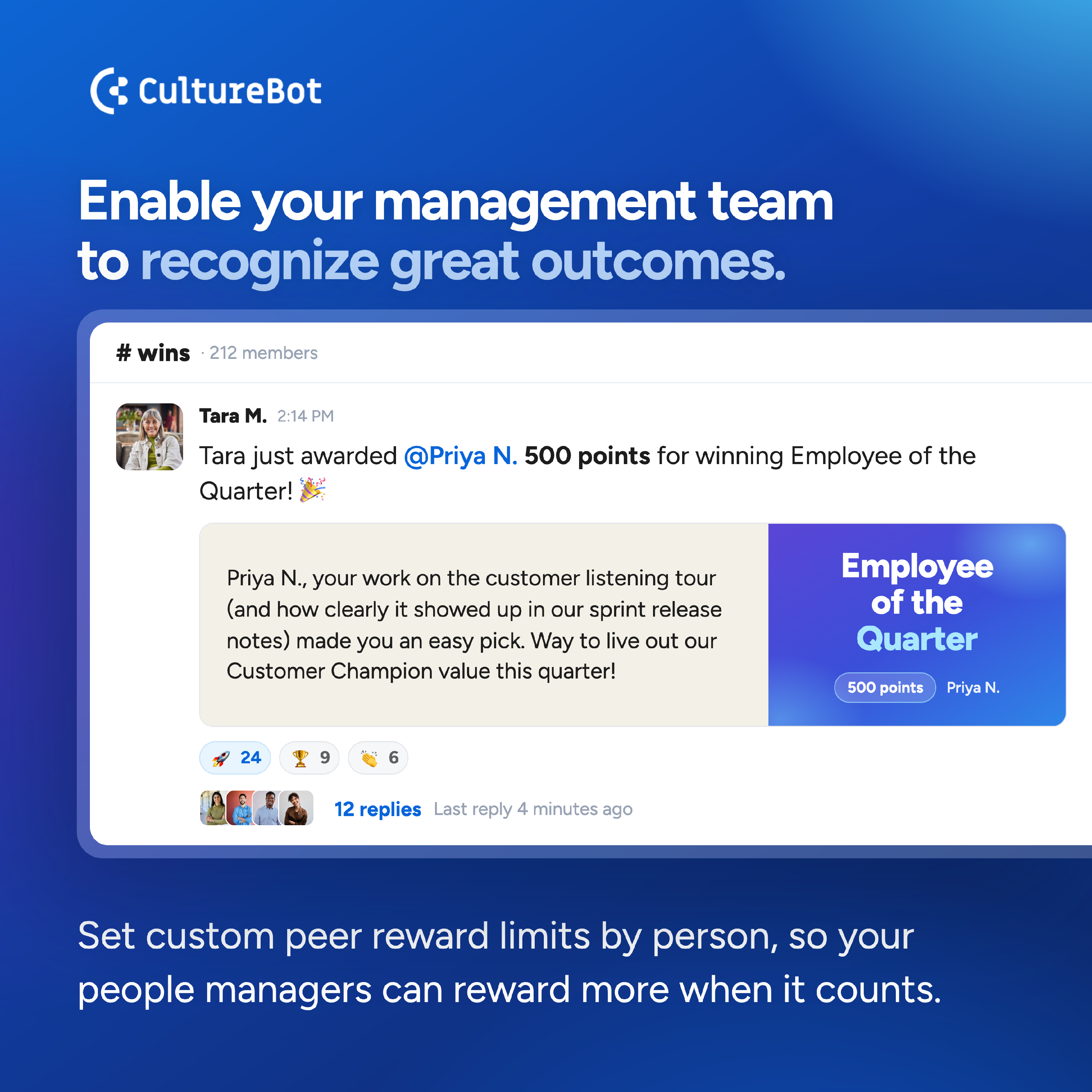
You set the budget for your team's Peer Rewards, and Points Rules let you decide how much of it each person can give: per quarter, per month, per day, and per shoutout. Raise the limit for specific people to empower your managers, executives, ERG leaders, and HR team to recognize more.
Please note: Points Rules is available on Standard plans and above.
Set Your Team Defaults
Team defaults apply to everyone. You need admin access in CultureBot to set Points Rules.
- Open Points Rules: Go to Peer Rewards > Settings and click Points Rules.
- Set A Quarterly Allowance: In Quarterly allowance, enter the total points each person can give per quarter. Quarters start on Jan 1, Apr 1, Jul 1, and Oct 1. Leave it empty for no quarterly limit.
- Set A Monthly Allowance: In Monthly allowance, enter the total points each person can give per month. Leave it empty for no monthly limit.
- Add A Daily Limit: Use Daily limit to cap how much someone can give in a day. Leave it empty for no daily limit.
- Cap A Single Shoutout: Use Max per shoutout to limit any one shoutout. Leave it empty for no per-shoutout limit.
- Save: Click Save team defaults. These rules apply to everyone unless they have an override (see below).
You can use any combination of limits. CultureBot checks every limit you set, and whichever runs out first applies. For example, with 300 a quarter and 150 a month, someone can give 150 in the first month and then 150 more across the rest of the quarter.
Using a quarterly allowance on its own? Leave Monthly allowance empty. Entering 0 in Monthly allowance turns off points in shoutouts for your whole team, even when a quarterly allowance is set.
A quarterly allowance works well for teams that want room for a bigger push at the end of a project or quarter, instead of a fixed amount every month.
Add a Per-Person Override
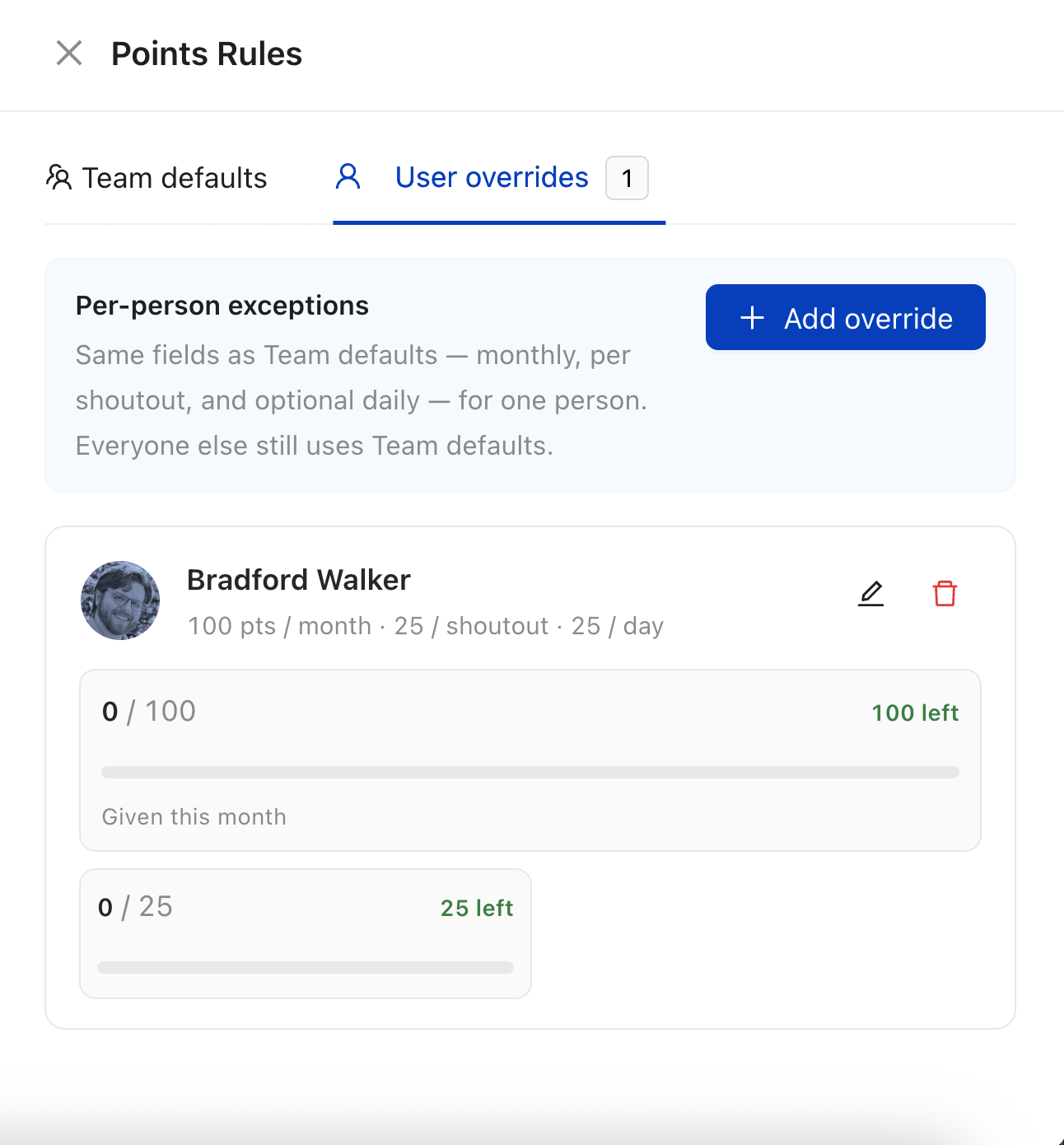
When someone needs a different limit, for example a manager who gives more points in a quarter, add an override just for them. Everyone else stays on the team defaults. You can add overrides for as many people as you'd like. Contact support@getculturebot.com for help with a bulk override upload (for example, if your entire leadership team needs one).
- Open User Overrides: In Points Rules, switch to the User overrides tab and click Add override.
- Pick The Person: Search for and select the user.
- Set Their Limits: Enter their quarterly or monthly allowance, plus a daily limit or max per shoutout if you want. Leave a field empty to keep the team default for it. As you edit, CultureBot shows how many points this person has already used this quarter and this month.
- Save: Click Add override.
To put someone back on the team defaults, remove their override.
See How Many Points Your Team Has Sent
Open Peer Rewards > Overview. The Points Given card shows the total points your team sent in shoutouts. Choose This Month from Preset, or pick the first and last day of a quarter in Date Range.
Monitor Manager and Leader Points Usage
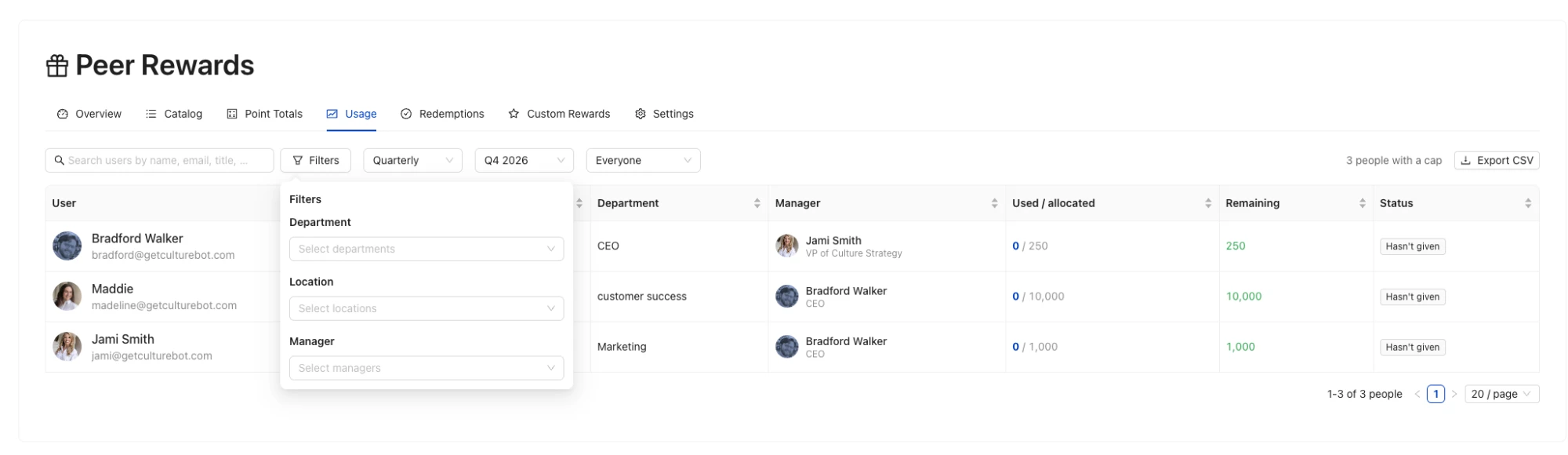
Use the Usage tab to check whether your managers and leaders are using their points, and to spot anyone who hasn't recognized their team yet this period.
Please note: Usage lists only people with an override for the period you choose. Someone with a quarterly override appears under Quarterly, and someone with a monthly override appears under Monthly. People on team defaults don't appear, so use Overview for team totals.
- Add An Override For Each Person You Want To Track: In Points Rules, open User overrides and add an override for each manager or leader. Enter their quarterly or monthly allowance, even if it matches the team default, so they show up in Usage.
- Open Usage: Go to Peer Rewards > Usage. Choose Quarterly or Monthly, then the quarter or month you want to see.
- Read Each Row: Used / allocated shows the points that person has given out of their allowance. Remaining shows what they have left. Status shows Gave points or Hasn't given.
- Narrow The List: Search by name, or click Filters to narrow the list by department, location, manager, or group. Choose Hasn't given to see only the people who haven't given points this period.
- Export: Click Export CSV to download the list.
Ways teams use it:
- Mid-quarter check-in: Filter to Hasn't given and remind those managers to recognize their teams before the quarter resets.
- Leadership reporting: Export the CSV at the end of the quarter to share how much of the leadership points budget was used.
- One department at a time: Filter by department or manager to see how a single group's leaders are giving.
What People See When Giving
Points Rules work the same whether your team gives shoutouts on the web, in Slack, or in Microsoft Teams. When someone opens a shoutout, CultureBot shows how many points they have left to give. Once they reach a limit, they can still send shoutouts, just without points until that period resets.
Adjust any of these numbers whenever you like as you see how your team uses their points.